
Top Business Systems to Streamline Support, Tasks and Field Service Operations
The right business system saves time in the places where work usually gets stuck: unanswered support tickets, missed follow-ups, messy schedules, scattered tasks, and full inboxes. The best tools do not just store information. They help teams turn requests into work, work into finished jobs, and finished jobs into better customer relationships.
The tools are not ranked from best to worst. They are grouped around common business needs, including customer support, field service, task management, CRM, IT service, and email control.

Affiliate disclosure: This post contains affiliate links. If you purchase or sign up through these links, I may earn a commission at no additional cost to you.
System | Best fit |
Customer support ticketing | |
Field service scheduling and jobs | |
Workflow automation and forms | |
Project and work management | |
Personal and team task lists | |
Simple CRM and sales tracking | |
Email filtering and inbox control | |
Customer service for growing teams | |
IT service management | |
Home service business management |
1. Zendesk Support, a proven help desk for customer conversations
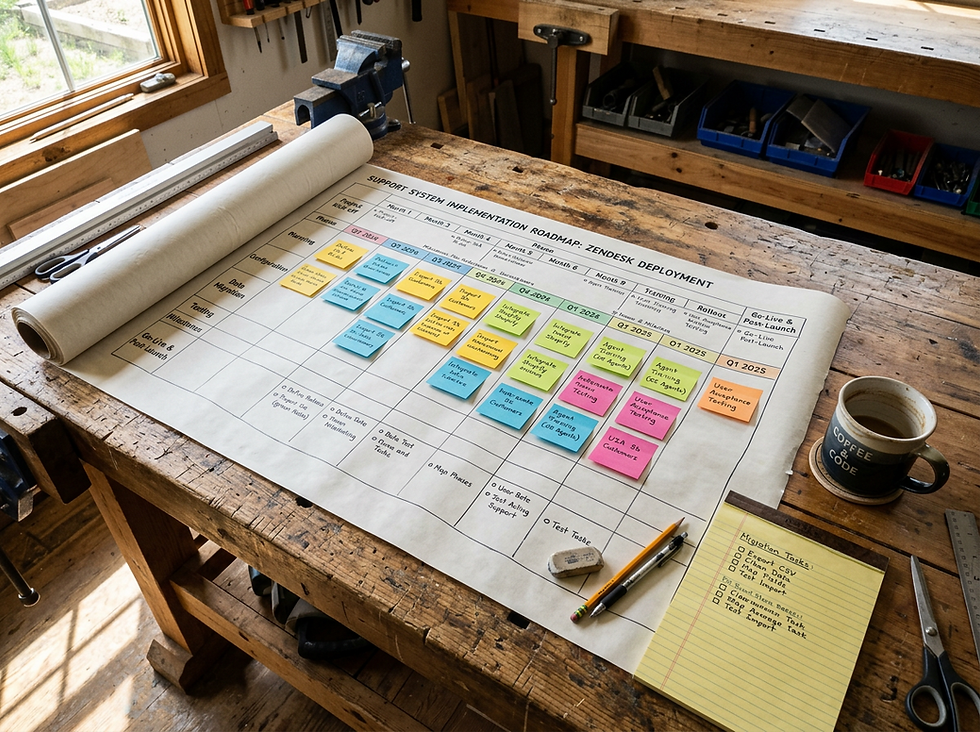
Zendesk Support is built for teams that need a cleaner way to manage customer questions across email, chat, web forms, and other support channels. Its main strength is the ticketing system. Every customer issue becomes a trackable case with status, ownership, history, and priority. That makes it easier to avoid duplicate replies, missed messages, and unclear handoffs.
The platform is especially useful for businesses with a steady flow of support requests. Teams can use automations, macros, customer history, and knowledge base tools to answer faster without losing the human touch. Reporting features help managers see where tickets are piling up, which issues repeat often, and how support performance changes over time.
Recommended link: Explore Zendesk Support
2. Jobber, built for service teams that live by the schedule
Jobber is made for field service businesses that need to manage customers, quotes, jobs, scheduling, invoicing, and payments from one place. It fits companies such as landscaping crews, cleaners, HVAC teams, plumbers, painters, and mobile service providers. The platform helps organize the full job cycle, from first request to final payment.
Its best features center on the calendar, dispatching, and customer communication. Teams can create job details, assign work, send appointment reminders, and keep customer records connected to each visit. Jobber also helps with estimates and invoices, which reduces the need to jump between scheduling software, spreadsheets, and payment tools.
For businesses where time in the field matters, Jobber can bring order to the daily route and reduce the back-and-forth that often slows service work.
Recommended link: Explore Jobber
3. Intellistack, a smart way to connect forms, workflows, and data
Intellistack is useful for businesses that depend on structured information, approvals, intake forms, and repeatable processes. It focuses on turning scattered requests and manual steps into cleaner workflows. That makes it a good fit for teams that collect data from customers, route requests internally, or need a more consistent way to manage process-heavy work.
A system like Intellistack can help reduce manual data entry and make follow-up steps easier to track. Common use cases include online forms, internal requests, approval flows, onboarding steps, and process routing. The value comes from having information move through a defined path instead of sitting in someone’s inbox.
For companies that have outgrown basic forms but do not want to build custom software from scratch, Intellistack can serve as a practical middle ground.
Recommended link: Explore Intellistack

4. Monday.com, a visual work hub for projects and teams
Monday.com is a flexible work management platform that helps teams plan projects, assign tasks, track progress, and coordinate repeatable work. Its visual boards make it easy to see what needs attention, who owns each item, and what stage the work is in. This makes it a strong choice for teams that want more structure than a spreadsheet but less complexity than heavy project management software.
One of Monday.com’s biggest strengths is customization. Teams can create boards for sales pipelines, content calendars, operations requests, product launches, onboarding, or client work. Views such as Kanban boards, timelines, calendars, and dashboards help different roles see the same work in different ways.
It is a good recommendation for businesses that have many moving parts and need one shared place to keep work visible.
Recommended link: Explore Monday.com
5. Todoist, simple task management that keeps work from slipping
Todoist is a clean, lightweight task manager for individuals and teams that want a fast way to capture and complete work. It works well for people who do not need a full project management system but still want a reliable place for tasks, due dates, recurring reminders, and priorities.
The app is known for its simple design and quick task entry. A user can create a task, add a due date, organize it into a project, and set priority without much friction. Recurring tasks are especially useful for weekly reports, follow-up calls, maintenance reminders, and daily admin work.
Todoist is a good fit for small teams, owners, managers, freelancers, and anyone who needs a personal command center for work. It can also support shared projects, though its biggest appeal is still speed and simplicity.
Recommended link: Explore Todoist
6. Capsule, a no-fuss CRM for relationships and sales follow-up
Capsule is a customer relationship management tool designed to keep contacts, deals, tasks, and sales activity organized without making the CRM feel heavy. It is a good option for small businesses that want a clear view of prospects, customers, opportunities, and follow-up tasks.
The platform centers on contact records and sales pipelines. Each contact can include notes, emails, tasks, history, and related opportunities. That helps teams remember past conversations and avoid losing deals simply because the next step was not tracked.
Capsule is useful for service businesses, consultants, agencies, and B2B companies that want to manage relationships in a calm, straightforward system. It is not overloaded with features, which can be a benefit for teams that need adoption more than complexity.
Recommended link: Explore Capsule

7. Sanebox, email control for people drowning in messages
Sanebox helps reduce inbox noise by sorting less important emails away from the main inbox. It works with existing email accounts and learns which messages matter based on behavior. Instead of replacing email, it makes the current inbox easier to manage.
Its main purpose is focus. Sanebox can move newsletters, lower-priority messages, and distractions into separate folders so the primary inbox stays cleaner. It also offers reminders, follow-up tools, and features that help surface emails that need a reply.
This is a useful recommendation for business owners, managers, salespeople, and support staff who spend too much time sorting through email. It is not a full help desk or CRM, but it solves a very real problem: too many messages competing for attention.
Recommended link: Explore Sanebox
8. Freshdesk, customer support software that grows with the team
Freshdesk is customer support software from Freshworks. It helps teams manage customer conversations through ticketing, self-service, collaboration, automation, and reporting. It is often a strong fit for growing businesses that need a support system but want something approachable for agents and managers.
The ticketing features help organize incoming requests, assign ownership, and track progress. Teams can also build a knowledge base so customers can find answers on their own. Automation can route tickets, trigger updates, and reduce repetitive steps for agents.
Freshdesk works well for businesses that want a more formal support process but still need a system that feels easy to adopt. It can support small teams and larger service operations, which makes it a flexible affiliate recommendation for customer-facing companies.
Recommended link: Explore Freshdesk
9. Freshservice, IT service management for internal support
Freshservice is designed for IT teams and internal service departments that need to manage requests, incidents, assets, changes, and service workflows. While Freshdesk focuses more on customer support, Freshservice is built around internal IT service management.
Its best use case is helping employees get technical support in a structured way. Instead of handling IT requests through random emails or chat messages, teams can use tickets, service catalogs, approval flows, and asset records. That creates a clearer path from request to resolution.
Freshservice can also help IT teams document recurring issues, manage hardware or software assets, and standardize internal processes. It is a good recommendation for companies that are growing past informal IT support and need a cleaner system for employee service requests.
Recommended link: Explore Freshservice

10. Housecall Pro, a strong system for home service businesses
Housecall Pro is business software for home service companies that need to manage jobs, scheduling, estimates, invoices, payments, and customer communication. It is built for trades and service providers such as HVAC, plumbing, electrical, cleaning, garage door, pest control, and similar local service companies.
The platform helps organize the daily flow of service work. A business can book jobs, dispatch technicians, send updates, create estimates, take payments, and keep customer records in one system. Mobile access is a major part of the appeal because field teams need information while they are away from a computer.
Housecall Pro is a good recommendation when the buyer wants more than a calendar. It connects the operational pieces around each customer visit and helps service businesses run with fewer gaps between booking, field work, billing, and follow-up.
Recommended link: Explore Housecall Pro
How to choose the right system from this list
The best choice depends on the work that causes the most friction.
If customer requests are the issue, start with Zendesk Support or Freshdesk. Zendesk is a strong fit for structured support teams that want mature ticketing and reporting. Freshdesk is a practical option for growing teams that want approachable customer service software with room to expand.
If field service work is the main challenge, compare Jobber and Housecall Pro. Jobber is strong for scheduling, jobs, quotes, and service workflows across many field service categories. Housecall Pro is especially well aligned with home service companies that need booking, dispatching, payments, and customer communication in one place.
If tasks and internal work feel scattered, look at Monday.com, Todoist, or Intellistack. Monday.com is best when several people need to track shared work visually. Todoist is best for fast task capture and personal productivity. Intellistack is worth considering when forms, approvals, and process flow matter more than simple task lists.
If relationships and follow-ups get lost, Capsule is a clean CRM choice. If email overload is the daily pain point, Sanebox can make the inbox calmer without replacing the tools already in use. If internal IT requests are becoming hard to manage, Freshservice gives that work a proper system.
A helpful way to decide is to ask one question: where does work get stuck most often? Choose the system that clears that bottleneck first. Then add other tools only when there is a clear reason.
Feel free to reach out to us if you have any questions: Contact Us


Comments